
Part 1 – What is filtering?
Part 2 – Building a simple filter with NSR
Part 3 – Filtering at Lending Club
Part 4 – Filtering at Prosper
Most people don’t build their own filters, but simply use simple ones like Inquiries=0 or copy investors who have publicized them (see mine here). That said, actually investing with them at Lending Club is very simple. People invest with filters in three different ways:
- Manually through the Browse Loans or Portfolio Builder pages
- Automatically through the Automated Investing page
- Automatically off site using a third-party tool
Most people who are filtering for the first time do it manually via Lending Club’s Browse Loans area. But eventually almost all investors switch to using automated investing. We will examine all three of these today, starting with the easiest and finishing with the most complicated.
To help, our example will use the simple filter we created in part 2. As a reminder, here it is:
- Loan grades: C-G
- Inquiries: 0
- Home ownership: Mortgage
In the last article, this filter gave us a historical ROI of 12.39% (issue date mid-2013 through today):

Let’s get started.
Manual Filtering at LendingClub.com
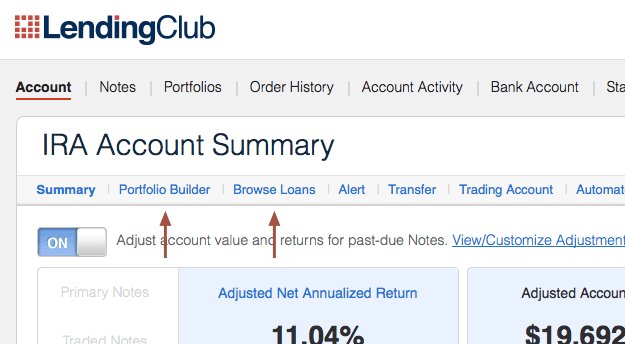
There are two ways to pick up loans at Lending Club: the Portfolio Builder page and the Browse Loans page.
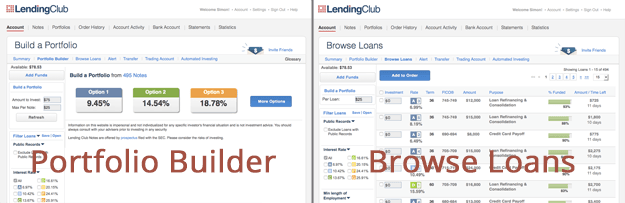
The Portfolio Builder allows us to invest in loans without examining the details of each one. For most investors, this is a fine option, as the details don’t really matter since we’ve already identified the filter variables that we care about. That said, many investors use the Browse Loans page because it is more data rich. Here are the pages side by side:
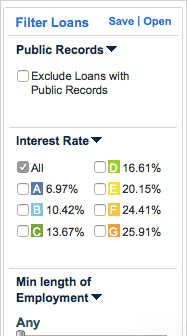 One thing you may notice about both pages is the sidebar. Both have a section called Filter Loans which looks like the picture on the right. The sidebar is too long to be inserted in full in this article, but you can see the beginning of the credit variables in the graphic: ‘Public Records’, ‘Min length of employment’, etc. This is where we insert our filter from part 2. Once we put in our variables, we can click the ‘Save’ option (also seen on the right) to save this filter for future use.
To add our three credit variables (Grades: C-G, Inquiries: 0, Home ownership: Mortgage) we would adjust the boxes seen below and click the Update Filter link. Lending Club’s number of available loans should suddenly reduce.
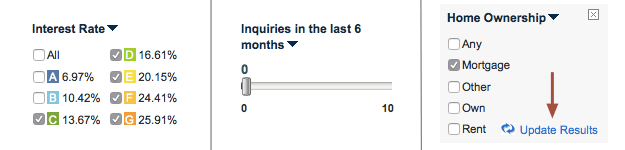
Congratulations, you have officially filtered the available loans at Lending Club for the first time! Now that the loans are filtered you can go on and invest in them as you normally do. In the Portfolio Builder this means just selecting one of the risk options and clicking Continue. In Browse Loans, this means selecting the individual loans you like and picking up notes in them.
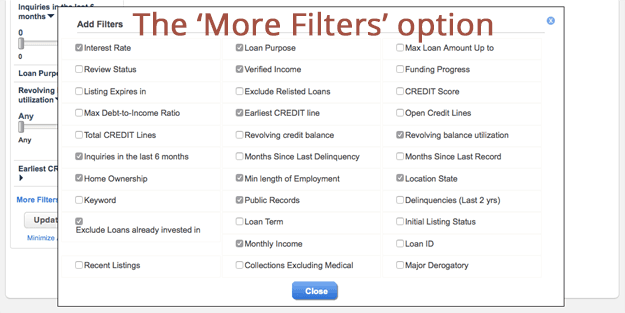
Note: if you don’t see your variables in the sidebar then you may need to enable them by going to the bottom of the sidebar and clicking the More Filters option:
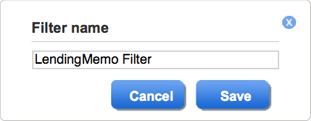 Now that we have our filter, we can save it for future use (and automated investing). Do that by going to the top of the filtering sidebar and selecting Save. A box will pop up where we can choose a name for our filter, then clicking Save. For this example, I’ve chosen the name LendingMemo Filter.
Now every time you log into Lending Club, you can easily filter the available loans with just a few quick clicks: click Open at the top of the Filter loans area, click your saved filter, and then invest in any loans you choose. Personally speaking, I have invested hundreds of times this way. It’s very quick and easy to do.
Automated Filtering at LendingClub.com
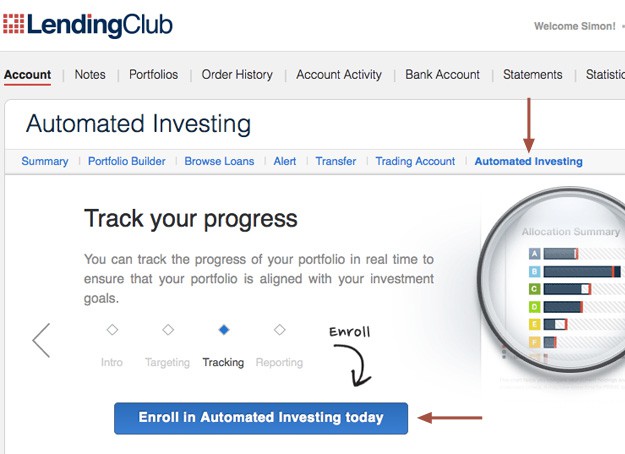
Once you’ve saved your filter, you can use it to invest in new filters automatically. Do this by going to the Automated Investing link in the navigation bar:
Now that you’re here, you can choose how your account is balanced across the different loan grades (read more about loan grades: What Loan Grades Do I Choose?).
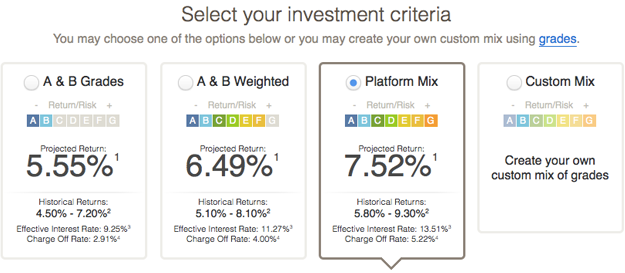
Obviously for this example, you’ll want to click Custom Mix since we’re sticking to C-G grade loans. But your own preference may differ. Lower down you can choose how you want the portfolio balanced. In this example, I’ve leaned the account into C and D-grade loans, with a smaller portion dedicated to Es, Fs, & Gs:
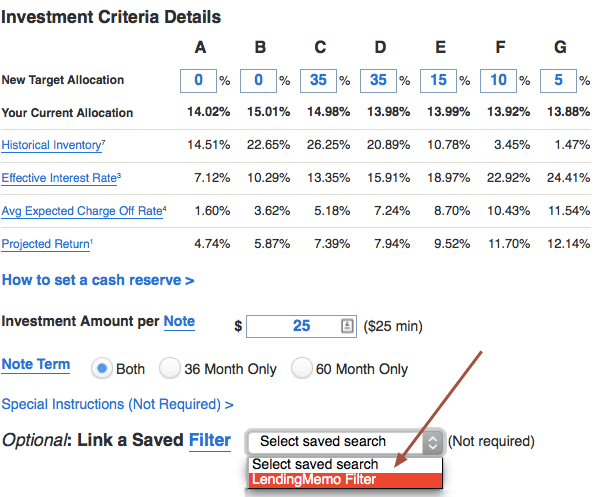
As seen above, you can attach your filter to the automated tool by selecting one in the drop down menu. When everything is set up to your liking, click the big blue button at the bottom and the popup box that appears (see below).
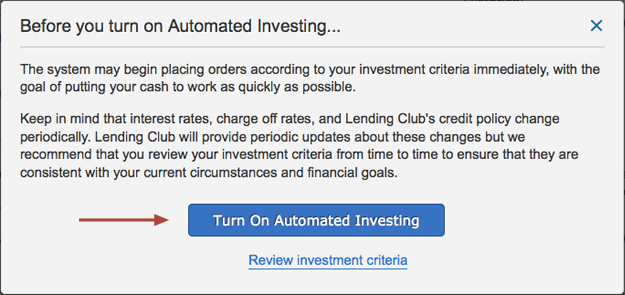
That’s all it takes. You’ve officially set up Lending Club to automatically pick up loans that meet your filter.
Note for people with complex filters: Lending Club’s Automated Investing tool has one major drawback — it does not always invest in loans when they are added to the platform at 6am, 10am, 2pm, and 6pm PST. During these hours there are often more loans available than at other times of the day. If your automated filter is failing to pick up loans (and your cash balance is growing), then you’ll need to (1) simplify your filter so it finds more loans, (2) set an alarm and invest in loans manually during these times, or (3) sign up for a third-party automated tool as seen below.
Related article: Using the Automated Investing Tool
Automated Filtering via 3rd-Party Tools
Peer to peer lenders who invest in the most in-demand loans typically use third-party tools. This is because they are much better at investing during peak times when the loan availability is greatest. For example, when Lending Club adds hundreds of new loans to their platform at 10:00am, third-party tools will have invested in them within seconds of their release. Read: The Hidden World of High-Speed P2P Investing
Currently, there is only one option for automated investing on Lending Club: LendingRobot. This tool is quite functional at picking up loans, and setting the filter up is remarkably similar to doing it on Lending Club’s website. Note: to this tool, you will need an API key found in your Settings link in the top right of the Lending Club website.
Filtering on LendingRobot (free for accounts < $10,000)
LendingRobot (based in Seattle like LendingMemo) is probably the most feature-rich of the two tools, and is likely more appealing to most new investors. Their biggest functionality isn’t actually simple filtering like what we’re doing today, but their ability to invest using an algorithm and with an expectation of what return you might earn.
A full exploration of LendingRobot’s functionality will be explored better in a future article, so for now let’s look at their filtering setup:
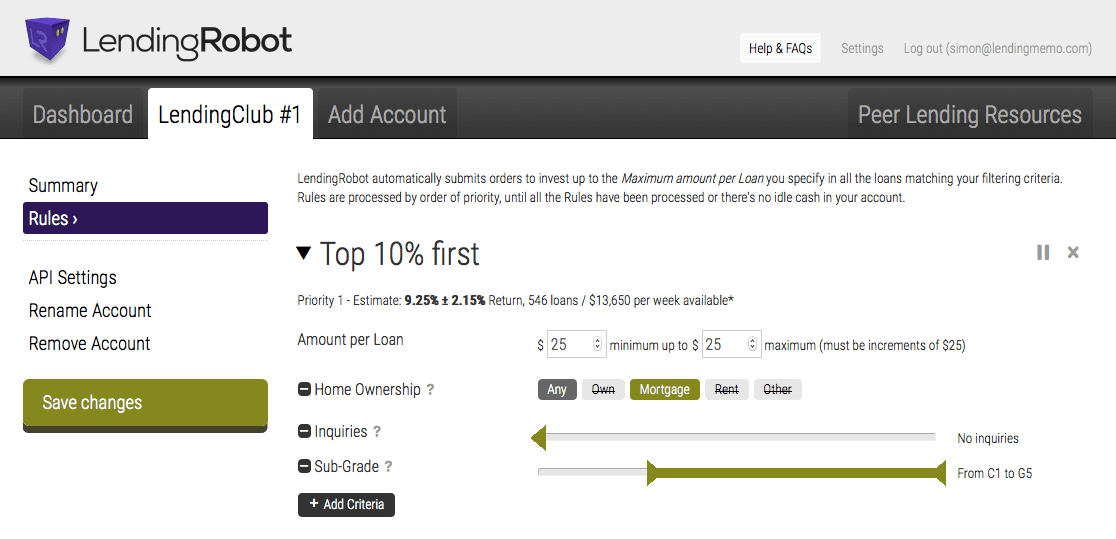
Click to enlarge
Setting up a LendingRobot account is super easy. Once your Lending Club account is linked with an API key, you just go to the Rules area of your account and choose your filtering variables. I’ve set up LendingRobot with the filter we’ve been using in this article today (Grades: C-G, Inquiries: 0, Home ownership: Mortgage). If I enabled this filter, LendingRobot would automatically invest with it the moment Lending Club adds new loans to their platform.
Conclusion: From Manual to Automatic Investing
If this is your first time filtering loans on Lending Club, this may be a bit overwhelming. This is normal. Almost all of us started out by manually filtering loans on Lending Club’s website. It’s simplest and makes the most sense for new investors.
That said, once you taste the freedom of automatically filtering your investment, I can almost guarantee that you will never go back. It is an amazing experience to create a solid filter, automate it using one of these tools, and come back to it months later to find it thriving in your absence.
Related video: Watch me invest with a filter on Lending Club (skip to 10:45)
[image credit: ‘flikr1077‘ by flickr CC-BY 2.0]
Thanks Simon for an interesting and a very timely post. I have been evaluating couple of these automated platforms from investing perspective. I am concerned about the speed with which Lending Robot/others can access loans when we are competing against institutional investors as well. Would be great to have your thoughts on this.
Keep up the awesome work and the uber cool website!
Hi Puneet. Thanks for the kind words. In my opinion, Lending Robot gets more than 90% of the loans it reaches for. Plus, most institutions are on the whole loan market. Lending Robot is on the other fractional side. They typically don’t compete.
Thanks a lot Simon for the response. It gives me a much better picture now.
Simon, I have been using Lending Robot and it works very well. I use Zero inquiries for all my filters and then various other factors like home ownership, income, years of employment. I have been also limiting the term to 3 years. A question on your personal filtering criteria. You are investing in both 3 and 5 year notes?
Thanks for all you your work!
Hi Richard. I go where the ROI is highest, and this has meant 80% 5-year loans. I understand this is riskier, but I am comfortable taking that on.
What is in it for BlueVestment to offer this service for free? What risks does one take on when using this type of service? For instance, can funds be transferred out from LC using the API and what if BV purchases loans outside one’s filters? Any other risks you see in using BV? Thanks, Chuck
Hi Chuck. BlueVestment currently seems to do this purely as a service to the lender community. No strings attached. At some point they may move to a for-profit model, but for quite a while they have not gone this route.
The risks are the same with any site you give your credentials: abuse from within the company, data breeches, wrongly invested loans. But the Lend Academy forum has an area dedicated to BlueVestment, and they seem to be satisfied with this amazingly-free service: http://www.lendacademy.com/forum/index.php?board=23.0
BlueVestment only asks for your API credentials, so they can’t attach a different bank account to your Lending Club account or anything, even if they wanted to. That would require your actual Lending Club password.
I am having problems getting Lending Robot to get many loans for me. I am sure it must be my filter although they are not that stringent. I’m starting to think the “popularity” value is hurting me because there’s a 5 second wait to figure that out. I’m beginning to think many loans are gone within that extra time frame. Do you think that is a possibility?
Hi Tim. That quite likely could be the case. Most of the time though it’s having to strict filters. My suggestion is to contact LendingRobot through their help tool and ask them.